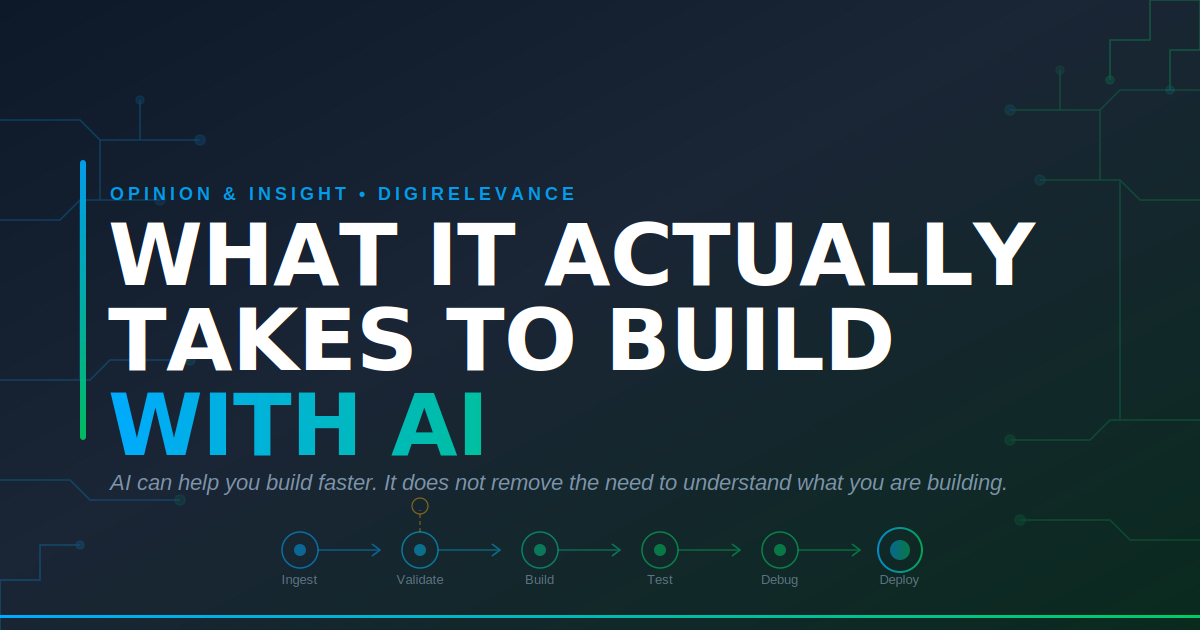
The Logistics Reporting automation project in my portfolio was built with a lot of help from AI. I am not going to pretend otherwise.
A consultant working independently, without a full-time engineering team behind them, does not build an end-to-end Azure-based reporting pipeline without leaning on some serious support. This project included Power Automate, Data Factory, Azure SQL, Azure Functions, Python, PowerPoint generation, SharePoint, email workflows, and a fair amount of glue between them. AI helped a lot.
But AI did not carry the project. This distinction matters.
If you have played around with ChatGPT, Copilot, Claude, Cursor, or any of the other tools now making software feel more accessible, you will know the buzz of getting something working quickly. You describe what you want, the AI produces a chunk of code, and suddenly you feel like you are building a real product.
Sometimes you are. But there is a big gap between “it runs on my laptop” and whether “it works reliably for a paying client”. This article is about how this gap was filled.
The Vibe Coding Dream
The popular idea of building with AI is very appealing: you describe the system, the AI writes it, you test it, the client loves it, and you send the invoice.
The dream more often than not, can quickly turn into a nightmare.
In my case, what happened was much more ordinary, and much more useful to understand.
I would ask for a function. The AI would give me one. It would nearly work. I would run it, read the error, ask for a fix, and the fix would introduce a new issue. Eventually it would work locally. Then it would fail in Azure. Then it would work in Azure but produce output that looked right at first glance and was actually wrong.
Missing data in a line chart was showing as flat zero lines instead of gaps. The report generated successfully. The chart simply told the wrong story. After a lot of testing, the issue was buried in how the PowerPoint XML was being edited. The AI had helped get close, but it did not solve the final problem. Reading the schema did.
That pattern repeated across the project. AI accelerated the work, but the actual progress came from testing, reading, debugging, and understanding the system well enough to know when something was not right.
What Actually Carried the Project
Looking back, these were the things that mattered most.
Being Able to Hold the Whole System in Your Head
The project was not one script. It was a chain of connected parts.
A Power Automate flow monitors a shared inbox. It triggers Data Factory. Data Factory loads data into a staging table. A stored procedure cleans, enriches, and validates it. An anomaly workflow flags anything unusual. Once the data is cleared, it is promoted to production. A second flow loops through clients, calls an Azure Function, generates a PowerPoint report, saves it to SharePoint, and emails it out.
Every handoff is a place where things can go wrong.
Some failures are very obvious. Others are subtle, they’re the trucky ones. A chart looks slightly off. An email does not send. A report runs successfully but doesnt pull all of the data. These are not always coding problems. They are system problems.
AI can help write an individual function. It cannot reliably tell you how that function might affect the next five steps in your workflow. That part is still on you.
Having a Debugging Instinct
This is probably the biggest difference between finishing AI-assisted projects and getting stuck with half-working demos.
When something breaks, you have to want to understand why. Not just paste the error back into the AI and hope for the best. Not accept the first workaround that appears to run. Not ignore the issue because it is awkward to investigate.
Some of the hardest bugs in this project were not dramatic. They did not crash the system. They produced the wrong output quietly. A chart line flattened where it should have had gaps. Data wouldn’t pull through correctly. Line breaks appeared as _x000D_ text in the final presentation.
You only catch these issues if you actually inspect the output. And you only fix them if you are willing to slow down, read the logs, check the files, iterate troubleshooting steps and understand what the tool is really doing underneath.
Knowing When ‘Good Enough’ Just Isn’t
AI will often give you code that works once but is painful to maintain. It will put too much in one file. It will duplicate logic. It will solve the immediate problem without thinking about what happens when you need to add the next feature.
The reporting function I built is purposefully split into modules — data.py, charts.py, tables.py, logo.py, utils.py, config.py. Chart logic lives with chart logic. Configuration is centralised. Repeated helper functions are pulled out and reused.
None of that is especially glamorous. But it is the difference between a project that grows cleanly and one that becomes unmanageable after the third or fourth change request.
Understanding the Problem Domain
The project worked because I understood the business problem, not just the technology.
I knew what the data fields meant and their relationships with other data points. I knew how to aggregate multiple service lines into more manageable service categories. I knew the importance of logging any data changes and sources. I knew why the quarter start month mattered, and why some clients had multiple booking codes that needed to roll up into one report.
AI cannot reliably supply real-life context for you. The best results usually come when you build around a problem you already understand. AI lowers the technical barrier – it does not remove the need for judgement.
Remaining Sceptical
AI is confident. It is confident when it is right, and more importantly, it is confident when it is wrong.
It will suggest real methods and imaginary ones in the same tone. It will produce code that looks professional but does not quite do what you asked. It will sometimes solve the symptom rather than the cause.
That does not make it useless. Far from it. But it does mean you need to treat the output as a fast first draft from a capable but overconfident colleague.
Read it. Run it. Question it. Test it. Push back on it. Do not outsource your judgement to it.
Thinking Beyond the Code
A script that works on your machine is not the same thing as a system.
A real system needs deployments, environments, secrets, monitoring, costs, permissions, failure handling, and a plan for what happens when someone else needs to run it. This is the work that often gets ignored in AI-building conversations, because it is less exciting than generating code.
For this project, the Azure Function needed to move onto a different service plan after the Consumption plan proved unreliable for the pipeline. GitHub Actions handles deployment. Connection strings sit in environment variables. There is a route for moving the solution into a client’s environment.
These are not the front end sexy features, but they are the difference between something that works in a demo and something that can be trusted in the real world.
Being Willing to Read
This may be the least exciting part of building with AI, but it might be the most important.
You still have to read.
Read the AI’s answer. Read the error message. Read your logs. Read the documentation. Read your own code. Read the generated file when the output looks wrong. Read enough of the underlying technology to understand where the AI’s answer stops being useful.
AI is a powerful multiplier for writing code. It is not a replacement for reading and understanding it.
What I Would Say to Someone Starting Out
- Start with a problem you understand. If you do not understand the domain, you will struggle to know whether the AI has produced something useful or just something that looks plausible.
- Build something small that works end to end. A narrow but complete workflow will teach you more than a huge unfinished idea.
- Do not stop at the first version that runs. That is usually where the real work begins. Test the edge cases. Check the output. Look for the quiet failures.
- Keep the project tidy as it grows. Split things into sensible modules. Avoid dumping everything into one file just because the AI made it easy.
- Use AI heavily, but do not let it do your thinking for you. Treat it like a fast assistant, not a senior architect who is always right.
- Stay curious when things break. That curiosity is what turns a prototype into a working system.
The Adventure Continues
AI has absolutely lowered the barrier to building useful software. That is a great thing. People who understand a problem can now get much closer to solving it themselves, even without a traditional engineering background.
But the quality and functionality is still set by the person using the tool.
The quality of the final system still depends on judgement, taste, domain knowledge, debugging, operational thinking, and the willingness to read when the easy answers run out. Those things mattered before AI, and they still matter now.
So yes, AI can help you build. It can help you move faster, learn faster, and attempt work that would previously have felt out of reach.
But if the thing you’re building needs to work for real people, in a real business, with real consequences, the fundamentals still matter.
The AI gets you moving. The rest is still down to you.
If this piece resonated and you are working on something you want to make real – feel free to reach out. This is exactly the kind of problem I enjoy thinking about.
— Nick, DigiRelevance